> ## Documentation Index
>
> Fetch the complete documentation index at: https://testimonial.to/guide/llms.txt
> Use this file to discover all available pages before exploring further.
# How to embed your Wall of Love in Framer
> Embed a Wall of Love in Framer with a custom code component.
Embed a Wall of Love in Framer with a custom code component. Framer needs this once so iframes resize correctly. It takes about 5 minutes.
A live demo is available [here](https://versatile-questions-815896.framer.app/).
---
## Create the WallOfLove component
1. In the Framer editor, click the Framer logo in the top-left, then go to **Component** → **Create From Code**. Click **+** to create a new component and name it `WallOfLove`.
2. Replace the default code with:
```
import * as React from "react"import IframeResizer from "iframe-resizer-react"export default function WallOfLove({}) { return ( )}
```
[Watch on Loom](https://www.loom.com/share/2d43203bb2864ce483d35140c8036911)
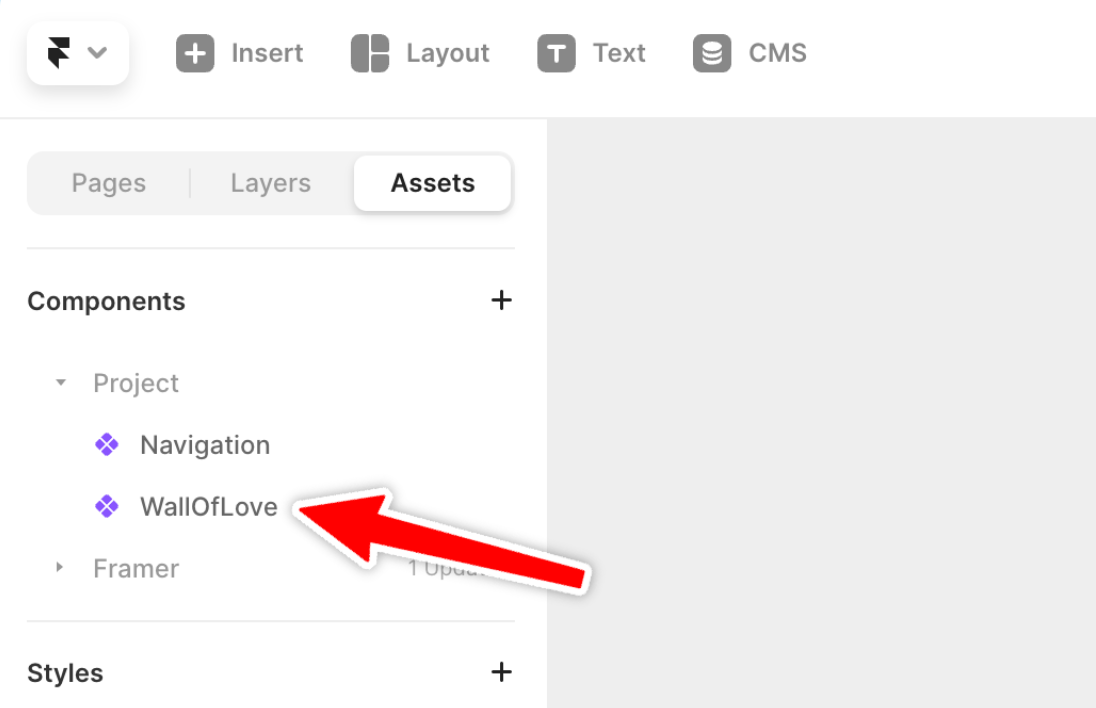
1. Save the component. It appears in your **Assets** panel under **Components**.
---
## Get your embed URL
Open the Space and click **Embed widgets** in the sidebar.
1. Select the **Wall of Love** tab if it is not already active.
2. If you already have a Wall of Love embed, click the clipboard icon on its card (**Copy embed code**) and skip to step 6. To create a new embed, click **Create Wall of Love**.
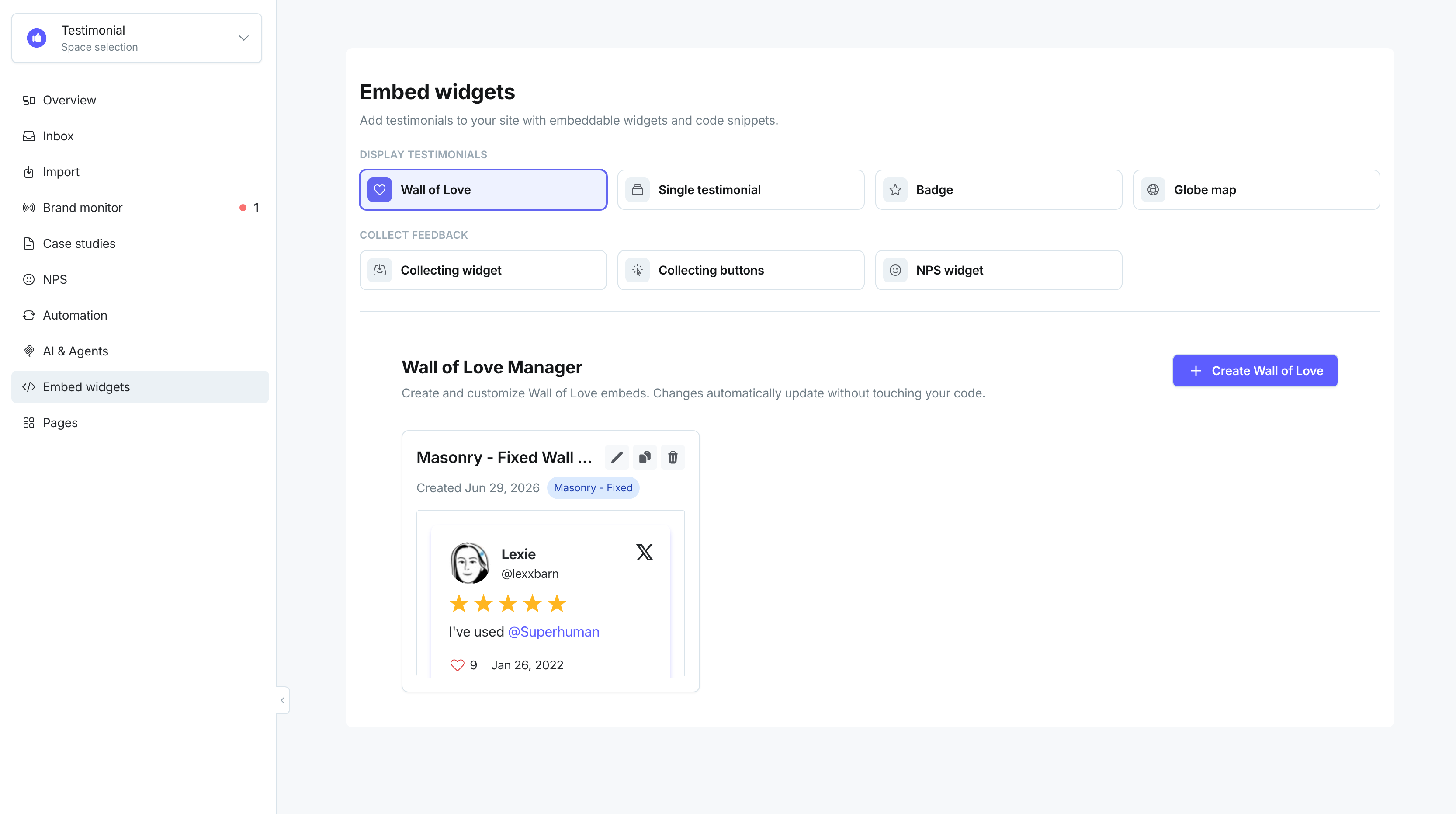
3. Choose a layout: **Masonry - animated**, **Masonry - fixed**, or **Carousel slider**. Customize theme, colors, and other settings, then click **Save & Continue**.
4. On the **Your Wall of Love is Ready!** screen, review the preview and click **Copy code**.
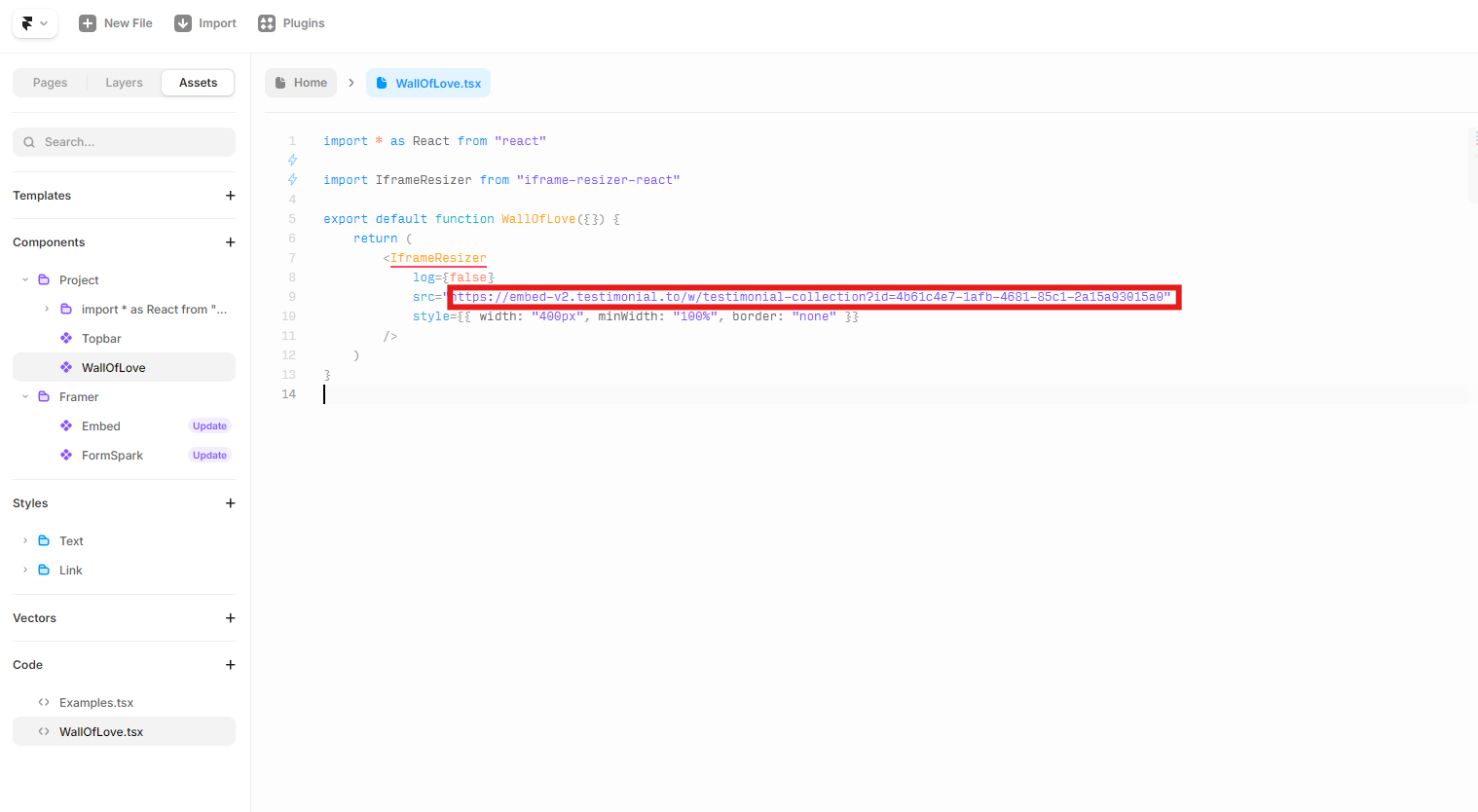
5. In the snippet, find the `src` URL inside the `
```
---
## Add the component to your page
1. Open the Framer page where you want the Wall of Love.
2. In the **Assets** panel, find the `WallOfLove` component and drag it onto the page.
3. In the component settings on the right, paste your copied embed URL into the **src** field.
4. Set the width to 100% if needed.
5. Click **Publish** → **Update**.
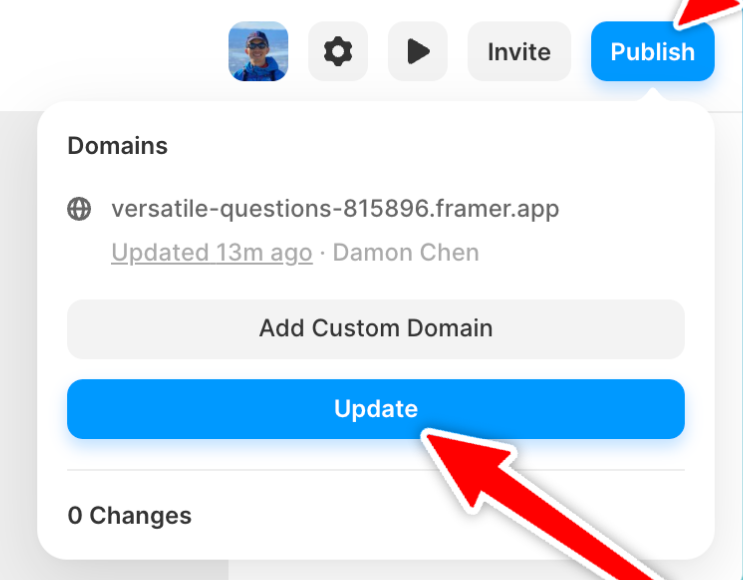
The Wall of Love appears on your live Framer site.
---
Related: [Customize your Wall of Love](https://help.testimonial.to/en/articles/6223089-customize-wall-of-love) · [Embed a Wall of Love](https://help.testimonial.to/en/articles/6223121-embed-a-wall-of-love)
Need help? Message us in the chat widget.