> ## Documentation Index
>
> Fetch the complete documentation index at: https://testimonial.to/guide/llms.txt
> Use this file to discover all available pages before exploring further.

# How to embed your Wall of Love in Notion

> Paste your Wall of Love embed URL into a Notion Embed block.

Paste your Wall of Love embed URL into a Notion **Embed** block. Copy only the `src` URL from the iframe — not the full embed code.

---

## Add an Embed block in Notion

1.  Open the Notion page where you want the Wall of Love.
    
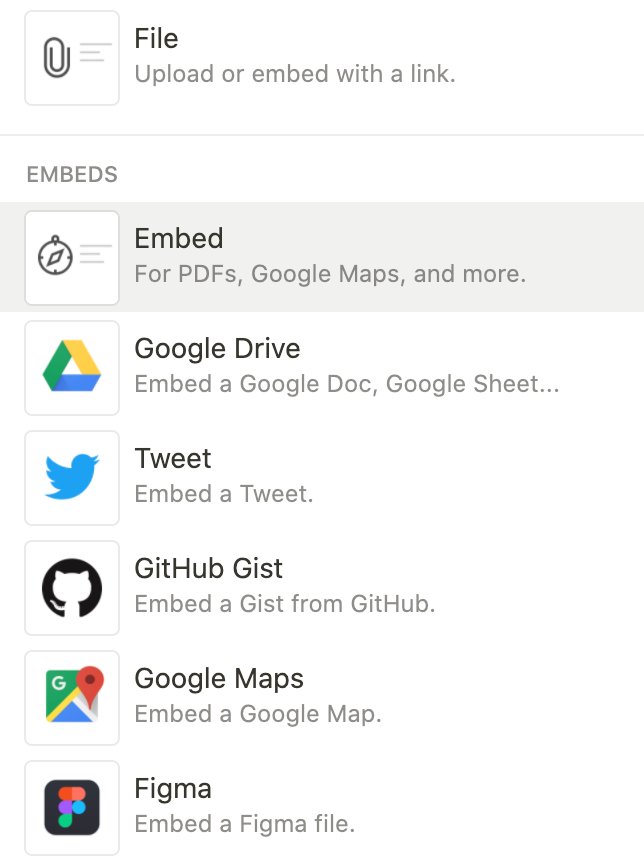
2.  Click the **+** icon on a new line, or type `/embed` and select **Embed**.
    
    ![notion image](https://apuqtiwclzoqhluvxsdm.supabase.co/storage/v1/object/public/help-center/53/53ec6cbee5e9c0c2f794993da2120336.png)
    
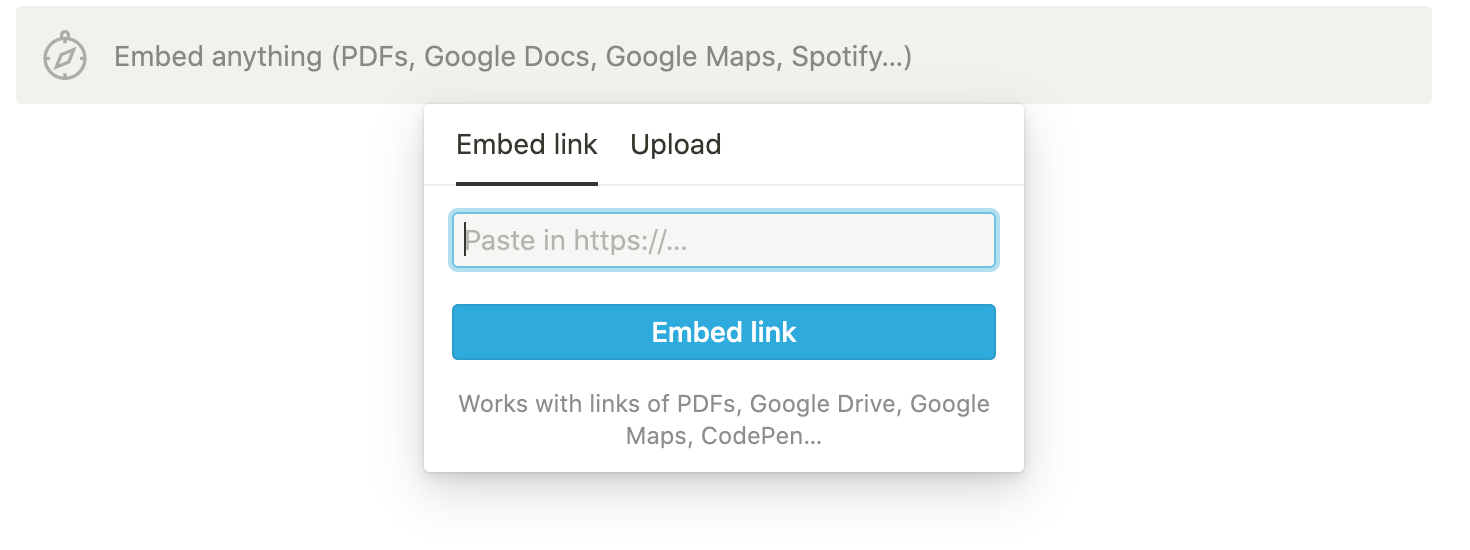
3.  An input field asking for a URL appears. Leave it open and switch to Testimonial.
    
    ![notion image](https://apuqtiwclzoqhluvxsdm.supabase.co/storage/v1/object/public/help-center/af/af75452648cd3edad74c8cba0d72d5ab.png)
    

---

## Get your embed URL

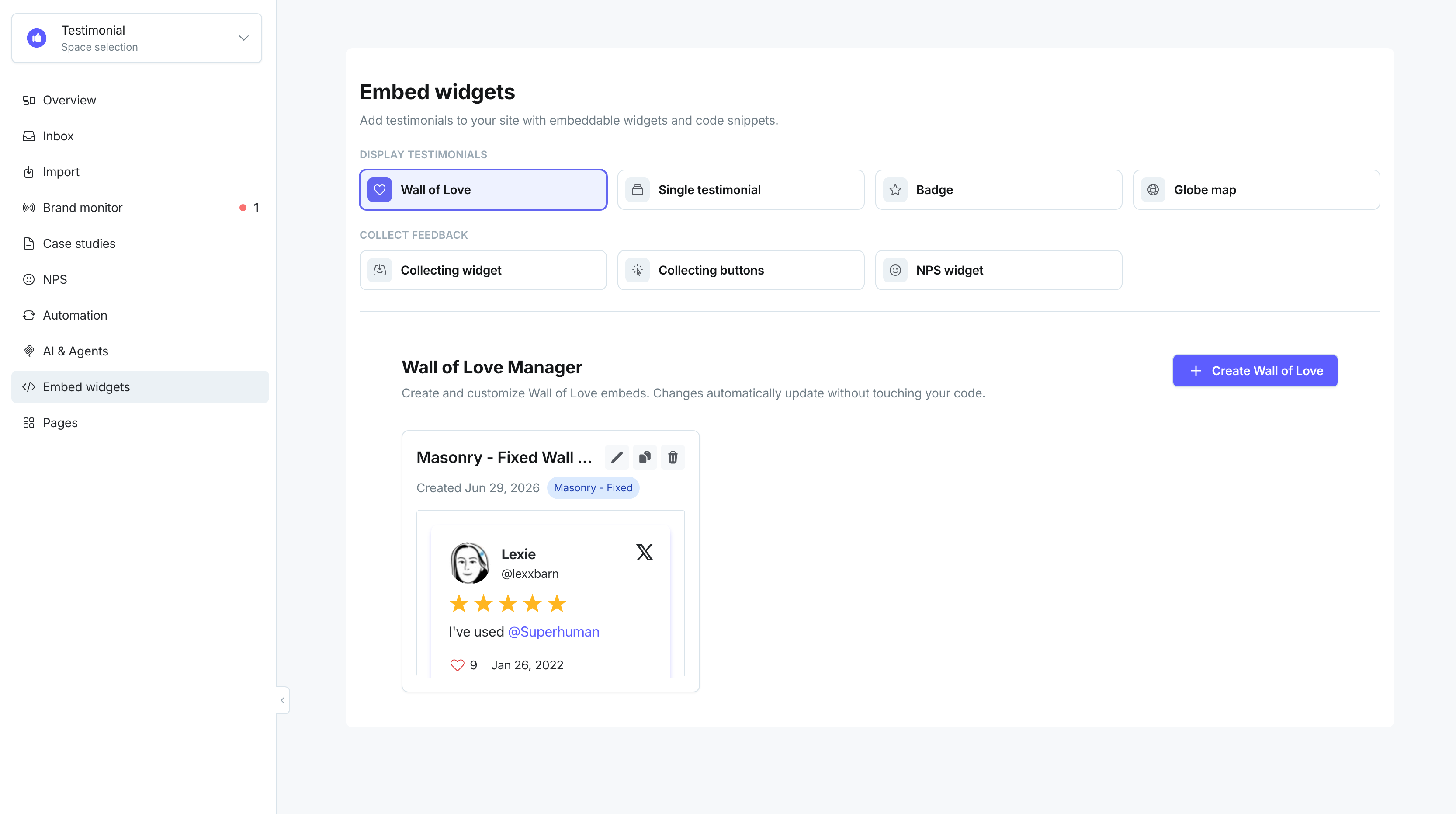
Open the Space and click **Embed widgets** in the sidebar.

1.  Select the **Wall of Love** tab if it is not already active.
    
2.  If you already have a Wall of Love embed, click the clipboard icon on its card (**Copy embed code**) and skip to step 6. To create a new embed, click **Create Wall of Love**.
    
    ![](https://apuqtiwclzoqhluvxsdm.supabase.co/storage/v1/object/public/help-center/60/60ed2b050dfa1864176850703adf6bb3.png)
    
3.  Choose a layout: **Masonry - animated**, **Masonry - fixed**, or **Carousel slider**. Customize theme, colors, and other settings, then click **Save & Continue**.
    
4.  On the **Your Wall of Love is Ready!** screen, review the preview and click **Copy code**.
    
5.  In the snippet, find the `src` URL inside the `<iframe>` tag. It looks like:
    
    ```
    https://embed-v2.testimonial.to/w/your-space-name?theme=light&card=base
    ```
    
6.  Copy that URL only — not the full code block. Sample code:
    
    ```
    <script type="text/javascript" src="https://testimonial.to/js/iframeResizer.min.js"></script><iframe id='testimonialto-4b61c4e7-1afb-4681-85c1-2a15a93015a0' src="https://embed-v2.testimonial.to/w/testimonial-collection?id=4b61c4e7-1afb-4681-85c1-2a15a93015a0" frameborder="0" scrolling="no" width="100%" ></iframe><script type="text/javascript">iFrameResize({log: false, checkOrigin: false}, '#testimonialto-4b61c4e7-1afb-4681-85c1-2a15a93015a0');</script>
    ```
    

---

## Paste the URL into Notion

1.  Return to Notion and paste the copied URL into the Embed block.
    
2.  Press Enter or click **Embed link**.
    

The Wall of Love appears on the Notion page.

![](https://apuqtiwclzoqhluvxsdm.supabase.co/storage/v1/object/public/help-center/77/77b67c141f8e4e109a0f885442bd437a.png)

**Note:** If the embed looks blank, confirm you copied only the `src` URL, not the full `<iframe>` code.

**Note:** Potion turns Notion pages into websites. Paste the same `src` URL into a Notion Embed block on the page Potion is serving. The Wall of Love then appears on the live Potion site.

---

Related: [Customize your Wall of Love](https://help.testimonial.to/en/articles/6223089-customize-wall-of-love) · [Embed a Wall of Love](https://help.testimonial.to/en/articles/6223121-embed-a-wall-of-love)

Need help? Message us in the chat widget.
