
API - Submit a video testimonial
Submit a video testimonial with POST /v1/submit/video and your Space API key. Optionally add it to the Wall of Love.
Submit a video testimonial with a POST request to https://api.testimonial.to/v1/submit/video. Send your Space API key in the Authorization: Bearer API_KEY header. You can also add the video to your Wall of Love in the same request.
Make a request
Replace API_KEY with your Space API key. Replace the example name and email with the submitter’s details.
curl --location --request POST 'https://api.testimonial.to/v1/submit/video' \--header 'Authorization: Bearer API_KEY' \--header 'Content-Type: application/json' \--data-raw '{ "videoURL": "https://s3.amazonaws.com/leds.mp4", "name": "Jordan Hale", "email": "jordan@example.com", "isLiked": true // default is false}'
Parameters
Two parameters are required:
videoURL— a publicly accessible video URLname— the submitter’s name
Optional parameters:
email— the submitter’s emailtitle— the submitter’s title and companysocialLink— the submitter’s social profile link (for example, a LinkedIn URL)confirm— whether the submitter permits public use of the video. false by defaultisLiked— add the video to the Wall of Love. false by default
Get your API key
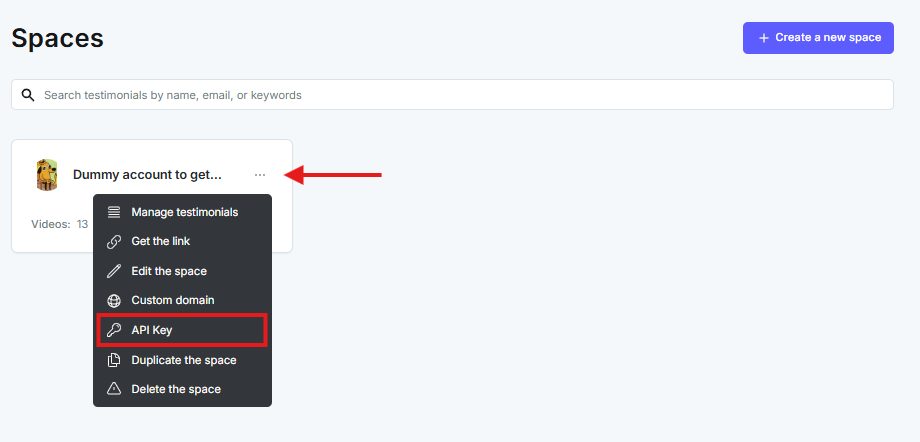
Open the dashboard. On the Space card, click the 3-dot icon and choose API key.
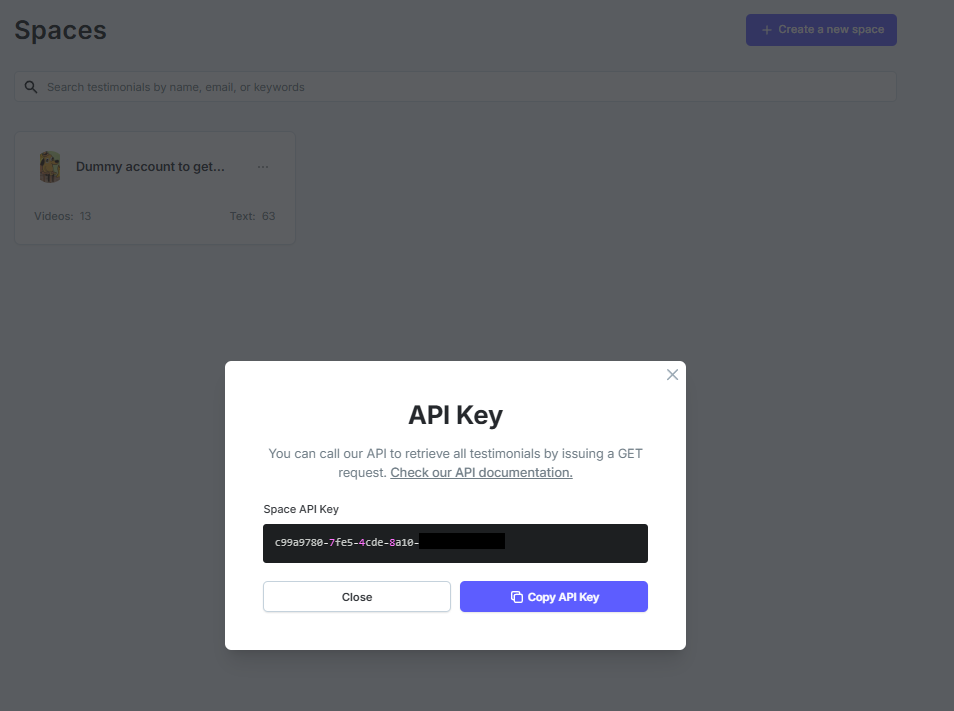
In the popup, click Copy API Key.
See also API - How to get your API KEY.
Return value
A successful request returns status success and message The video is uploaded successfully.
A failed request returns status failed and a message that explains why.
{ "status": "failed", "message": "Video URL is required! Please add videoURL in the URL query string."}
Related: API - Submit a text testimonial · API - GET all testimonials
Need help? Click Talk to us to open the support chat. If the chat doesn't load, email support@testimonial.to.