
Reorder testimonials based on Tags.
Reorder a tagged Wall of Love by selecting the tag, then dragging cards.
If a Space uses tags, you can reorder the Wall of Love for a single tag. Select that tag on the reorder screen, then drag the cards.
Note: Highlighted testimonials still appear at the top of a tagged Wall of Love. You can reorder them in the same view.
Video
 Watch on YouTube
Reorder a tagged Wall of Love
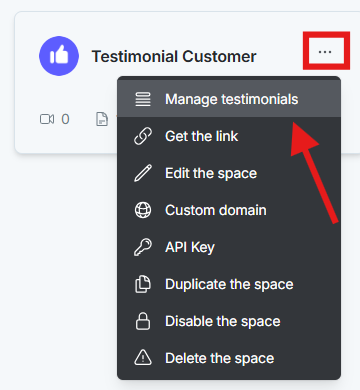
Open the dashboard. Click the Space card, or click the three-dot menu and select Manage Testimonials.
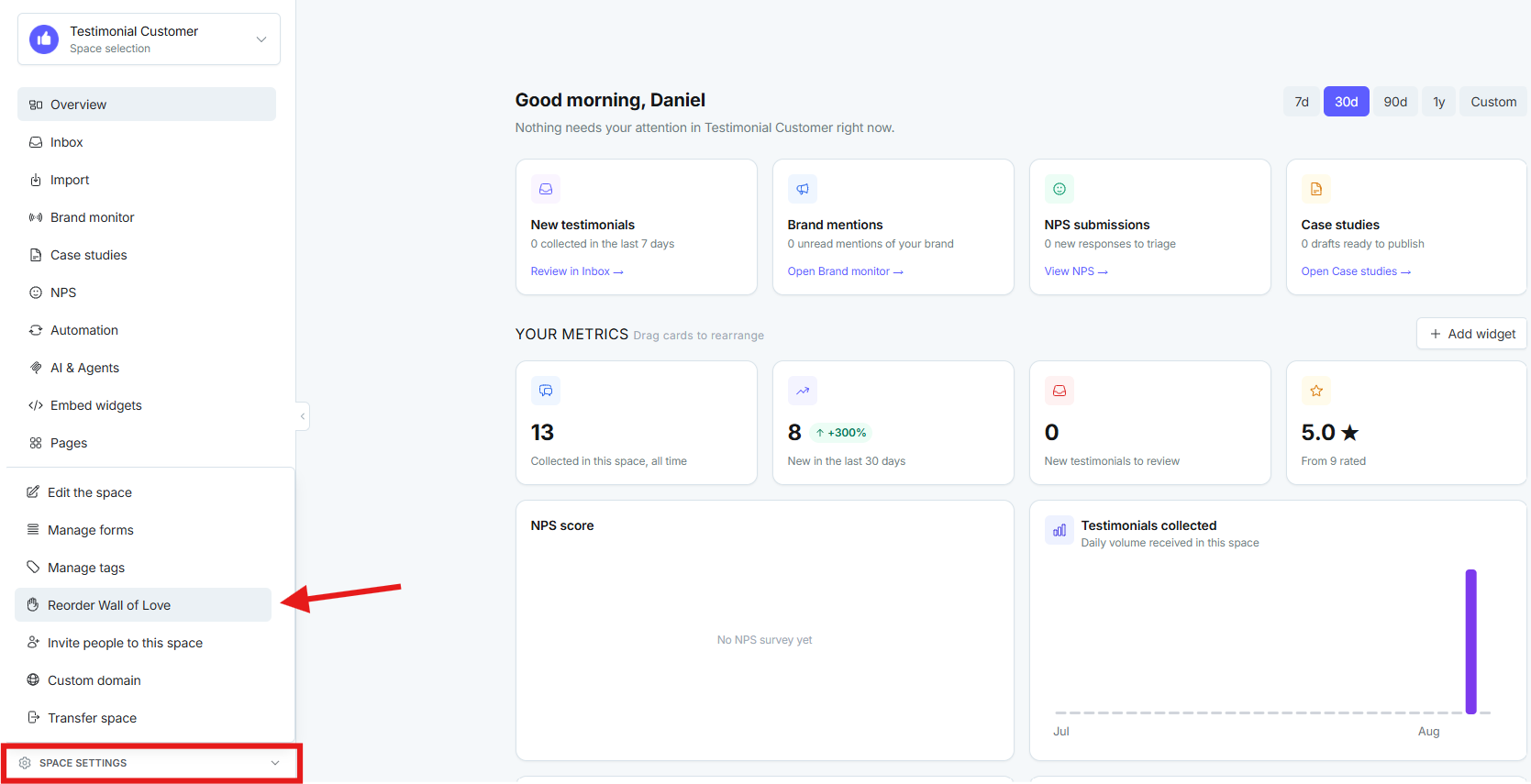
In the left sidebar, open Space Settings, then click Reorder in Wall of Love.
If tags exist, a dropdown appears. It defaults to all testimonials. Select the tag you want, then drag and drop the cards.
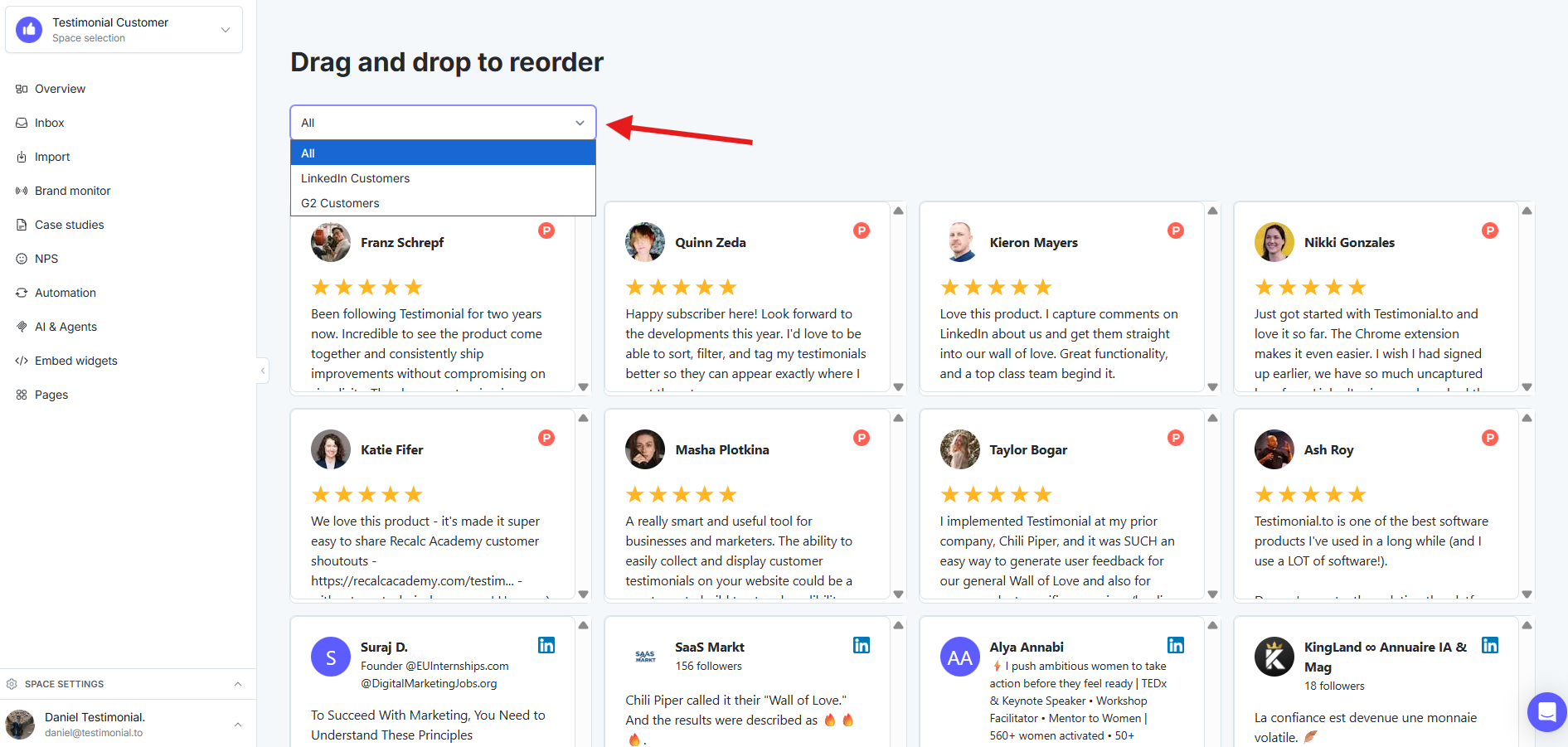
Note: When a specific tag is selected, the new order applies to that tagged Wall of Love only.
Need help? Click Talk to us to open the support chat. If the chat doesn't load, email support@testimonial.to.