
How to embed your Wall of Love in a React
Embed a Wall of Love in React with iframe-resizer-react.
Embed a Wall of Love in React with the iframe-resizer-react package. Install it, copy your embed URL from Testimonial, and pass that URL to the component.
Install the package
npm install iframe-resizer-react
Get your embed URL
Open the Space and click Embed widgets in the sidebar.
Select the Wall of Love tab if it is not already active.
If you already have a Wall of Love embed, click the clipboard icon on its card (Copy embed code) and skip to step 5. To create a new embed, click Create Wall of Love.
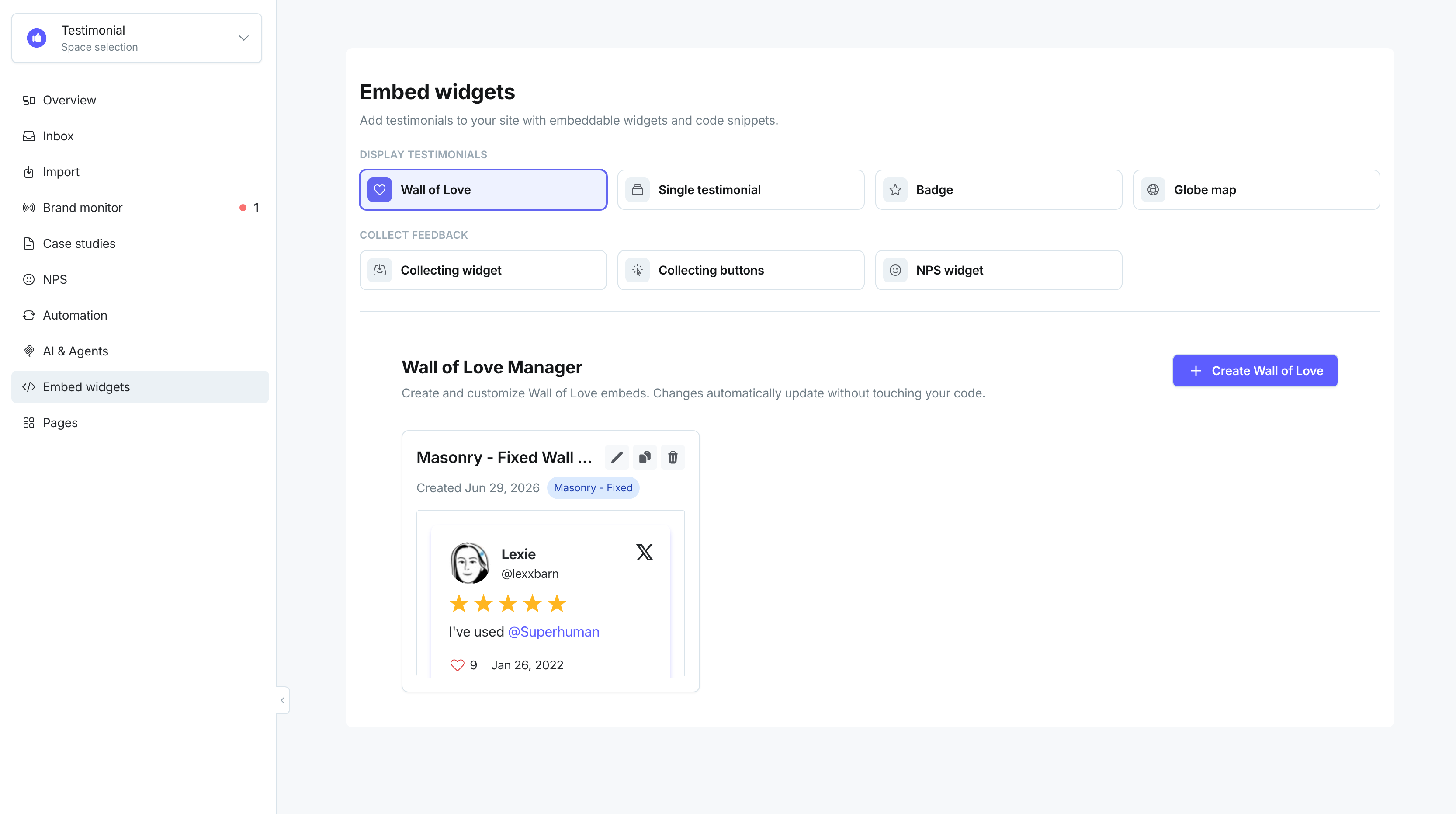
Choose a layout: Masonry - animated, Masonry - fixed, or Carousel slider. Customize theme, colors, and other settings, then click Save & Continue.
On the Your Wall of Love is Ready! screen, review the preview and click Copy code.
In the snippet, find the
srcURL inside the<iframe>tag — copy only that URL.
<iframe id='testimonialto-4b61c4e7-1afb-4681-85c1-2a15a93015a0' src="https://embed-v2.testimonial.to/w/testimonial-collection?id=4b61c4e7-1afb-4681-85c1-2a15a93015a0" frameborder="0" scrolling="no" width="100%" ></iframe>
Add the component to your app
import IframeResizer from 'iframe-resizer-react'export default function WallOfLove() { return ( <IframeResizer log={false} src="YOUR_EMBED_URL_HERE" style=#{{ width: '1px', minWidth: '100%', border: 'none' }} /> )}
Replace YOUR_EMBED_URL_HERE with the src URL you copied from Testimonial.
Set the width to 100% and let the height scale to the content. Pass the Wall of Love URL to src.
Related: Vue and Nuxt · Embed a Wall of Love
Need help? Click Talk to us to open the support chat. If the chat doesn't load, email support@testimonial.to.