
Duplicate a Testimonial to Another Space
Copy a testimonial into another space. The original stays put.
Copy a testimonial into another space. The original stays in the first space.
Duplicate a testimonial
Open the space that contains the testimonial.
Find the testimonial and click the 3-dot icon on the card.
Select More Actions.
Click Duplicate to other spaces.
Choose the destination space.
Click Confirm.
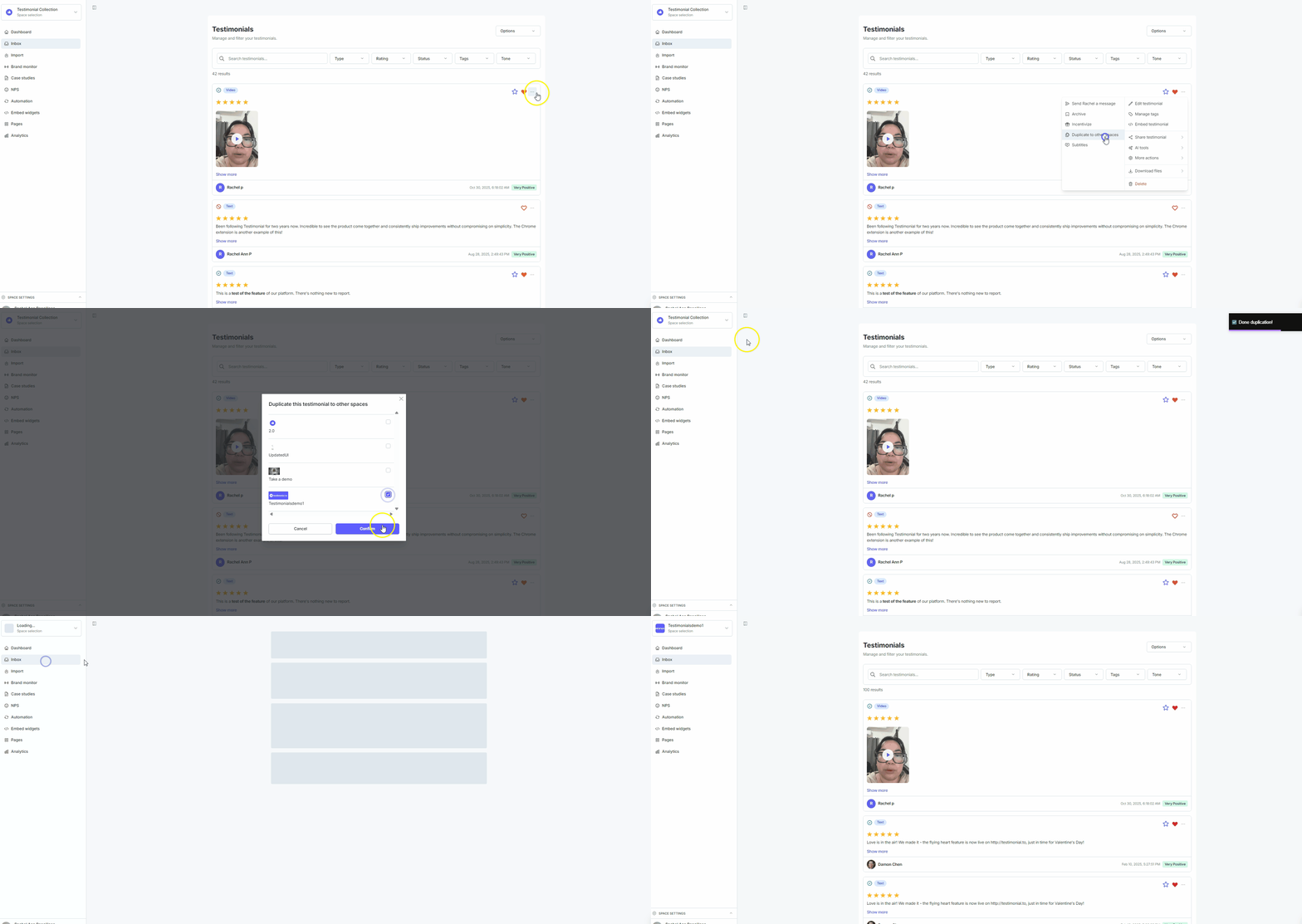
The testimonial is now in both spaces.
Need help? Click Talk to us to open the support chat. If the chat doesn't load, email support@testimonial.to.